
IMPORTANT INFORMATION
Due to an upcoming update to our ticketing system, access to your Pathé Club account—which allows you to collect loyalty points and access Pathé Friends and Pathé Pass offers—will soon be exclusively available online.
Following this transition, your physical card (Pathé Club, Pathé Friends, Pathé Pass, or paper QR code) will no longer be recognized by our ticketing system and will therefore be invalid. Only the digital card accessible through your online account will remain valid.
To ensure your account stays active after the update and that you can continue enjoying your benefits, we need a valid email address. Without it, unfortunately, we will not be able to manage your account.
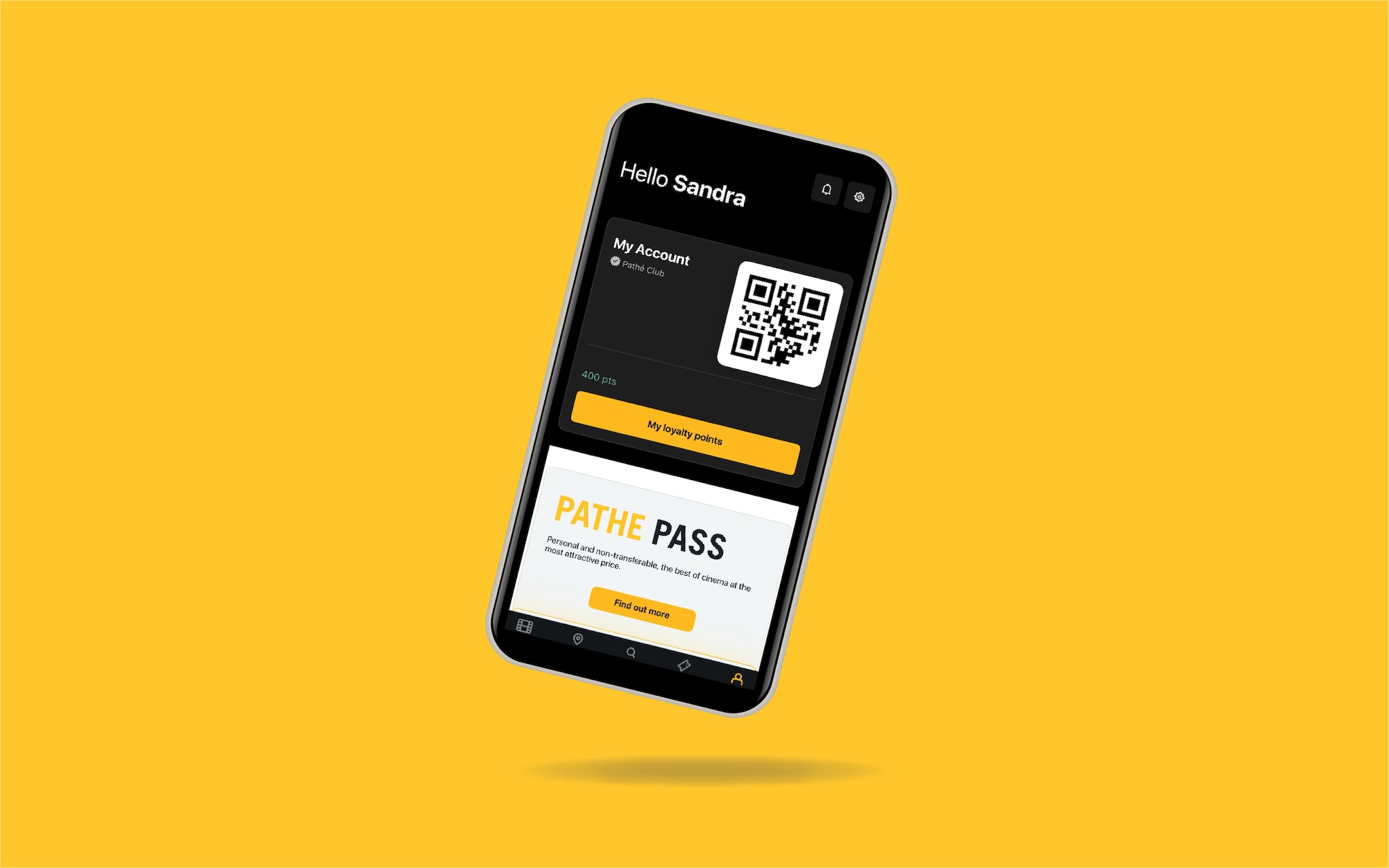
Your digital card provides an optimized experience, faster access, and maximum security for your account. With your digital card, you can identify yourself at our self-service terminals or with staff at the cinema to collect loyalty points and use Pathé Friends and/or Pathé Pass offers.
We encourage you to access your digital card today to ensure that your account functions seamlessly after the update. Below is a step-by-step guide to assist you.
HOW TO ACCESS TO MY DIGITAL CARD
You must have provided a valid email address during your registration for Pathé Club or when subscribing to the Pathé Friends or Pathé Pass offer.
1. If you don’t have an email address, smartphone, or do not wish to provide an email address, please inform our staff at the ticket counter with your details (name, surname, postal address). However, please note that without a valid email address, you will no longer have access to your account after the update.
2. If you’re unsure whether your email address is recorded in our database or whether the email you provided is current, you can verify this:
- at the cinema: speak to our staff at the ticket counter during your next visit - they can verify this information in our ticketing system.
- by email: contact our Customer Service at info.pathech@pathecinemas.com with your name, surname, date of birth, postal address, and whether you hold an active Pathé Friends and/or Pathé Pass account. Specify the email address you wish to associate with your account.
3. Your account is already linked to your current email address. Visit the mobile version of our website at www.pathe.ch or use the Pathé Suisse app. Click on the login button to access your account.
4. Log into your account. IMPORTANT: Do not create a new account. If in doubt, check with our staff or Customer Service to confirm whether you already have an account (see step 2). Click “Log in,” input your email address and password. If you don’t know or have forgotten your password, click “Forgot password” to reset it, then log in to your account with the new password sent to your email.
5. Locating your digital card in your online account:
- If logged in via the mobile version of our website: access your Account Space by clicking the “Account” button, then under “More Info,” your digital card will be available under My QR Code
- If logged in via the Pathé Suisse app: navigate to your Account Space by clicking the “Account” button. Your digital card will be available in QR code format.
You can now use your digital card’s QR code at our cinemas by scanning it at self-service terminals or presenting it at the ticket counter. Once your digital card is activated, we kindly ask you to destroy your physical card by cutting it into several pieces.